Looking for the best QR scanner app for Android? Discover a powerful QR code reader app that lets you scan, save, edit, and export data easily. Fast, private, and 100% free.
Best QR Scanner App for Android: Scan, Save, and Do More
If you’re searching for a qr scanner app for Android, chances are you’ve already tried a few.
Most of them do one thing:
👉 Scan a code → open a link → done.
That’s fine… if all you need is a quick scan.
But what if you need more?
- Save scanned data
- Track items
- Manage inventory
- Export results
This is where a typical qr code reader app for Android falls short.
Why Most QR Code Scanner Apps Are Too Limited
A standard qr code scanner app for Android is built for simple use cases:
- Open websites
- Show text
- Connect to Wi-Fi
But real-world workflows need more than that.
If you’re using a qr code reader Android app for business, logistics, or organization, you’ll quickly notice:
❌ No data storage
❌ No editing
❌ No tracking
❌ No export options
It’s scanning… without purpose.
Meet FlexiScan: A Smarter QR Code Reader for Android
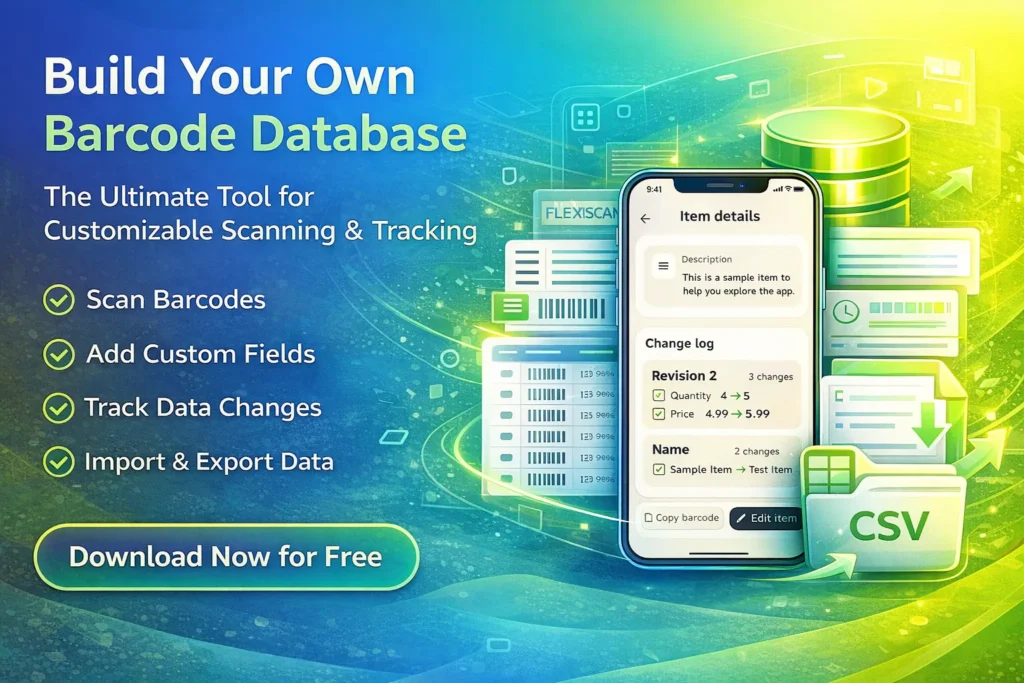
FlexiScan is built for people who need more than just scanning.
Instead of a basic qr scanner app for Android, it works like a mobile data system.
🔹 Scan and Save Everything
Every scan becomes useful data.
- Scan QR or barcode
- Store it instantly
- Build your own dataset
🔹 Custom Fields (Your Workflow, Your Rules)
Unlike typical apps, you can define your own structure:
- Product name
- Price
- Location
- Condition
- Notes
Perfect for turning a simple qr code reader app for Android into a real tool.
🔹 Edit Data Directly on Your Phone
No need to open Excel every time.
- Update records
- Fix mistakes
- Add new details
All inside the app.
🔹 Export to Excel / CSV Anytime
Need reports or backups?
- Export your data instantly
- Use it in Excel or Google Sheets
- Integrate with your workflow
🔹 Full History Tracking
This is what most apps are missing.
FlexiScan tracks:
- Every change
- Every update
- Every timestamp
So you always stay in control.
🔹 100% Offline & Private
For users in Tier 1 countries, privacy matters.
FlexiScan keeps your data:
✔ On your device
✔ No cloud upload
✔ No account required
How to Use a QR Code Scanner App for Android (Better Way)
Using FlexiScan is simple:
1. Scan QR Code
Use the fast engine to scan instantly.
2. Add or Edit Data
Turn scans into structured information.
3. Export or Manage
Use your data however you want.
Who Needs a QR Code Reader Android App Like This?
FlexiScan is perfect for:
- Small business owners
- Warehouse teams
- Retail stores
- Online sellers
- Field workers
- Anyone managing structured data
If you’re doing more than just scanning, this matters.
The Problem With “Free QR Scanner Apps”
Most free apps come with hidden trade-offs:
- Ads overload
- Limited features
- No real data control
FlexiScan is different:
✔ No subscription
✔ Full features unlocked
✔ Built for productivity
The Verdict: Best QR Code Scanner App for Android
If you only need to open links, any app works.
But if you want to:
- Save data
- Track changes
- Manage information
- Export to Excel
Then you need more than a basic qr code reader app for Android.
You need FlexiScan.
🚀 Ready to Upgrade Your QR Scanner?
Stop using apps that do nothing after scanning.
Start using a qr scanner app for Android that actually helps you work smarter.
👉 Download FlexiScan now
✔ Fast QR & barcode scanning
✔ Custom data fields
✔ Export to Excel / CSV
✔ Full history tracking
✔ 100% free & private
Another article from our website